
AI in Software Development: 10 Game-Changing Trends Transforming Coding in 2025
AI in software development is no longer a curiosity. It is shaping how we design, build, test, and operate software. If you work as a developer, tech lead, CTO, or product manager, you already feel the change. I remember the day my team first let an AI suggest code in a pull request. Some of the suggestions were spot on, and a few were hilariously bad. That mix is still the reality in 2025, but the tools and workflows have become smarter, safer, and more embedded in everyday practice.
In this article I walk through 10 trends that are actually changing how we code. I’ll call out practical ways teams adopt these trends, common mistakes I’ve seen, and tools you should watch. My hope is this guide helps you decide what to pilot next quarter, and how to avoid the usual pitfalls when introducing AI into development.
Why this matters now
We’ve moved from novelty features to mission-critical workflows. AI coding assistants now sit in editors, CI pipelines, and incident dashboards. Generative AI for developers is not confined to toy demos. It touches daily workflows: code completion, test generation, code reviews, debugging, and even deployment automation.
That shift means different expectations. Teams expect productivity gains, fewer trivial bugs, and faster onboarding for new hires. But they also need better guardrails, licensing checks, and security controls. If you get those right, AI powers real throughput and quality improvements. If you skip them, you get weird production bugs and compliance headaches.
Trend 1: AI coding assistants go beyond autocomplete
Early AI in editors was mostly fancy autocomplete. Today, AI coding assistants act like pair programmers. They write larger code blocks, refactor code, explain design tradeoffs, and even suggest test cases. Tools such as GitHub Copilot alternatives - Tabnine, Codeium, and Amazon CodeWhisperer - have pushed this forward. In my experience, teams that let the assistant handle small, repetitive tasks free up developers to focus on system design and tricky logic.
Practical tip: treat AI suggestions like junior devs. Review everything. Use the assistant to scaffold code, then refine. That approach keeps velocity up without sacrificing quality.
Common mistake: blindly accepting suggestions to save time. That can introduce security issues or license-violating code. Put pre-commit checks and license scans in place before you let AI write direct commits.
Trend 2: Generative AI for design and architecture decisions
AI is no longer limited to code snippets. We’re using generative models to draft architectural patterns, microservice boundaries, and API contracts. The models digest system requirements, existing repos, and nonfunctional constraints then propose designs. I’ve used this to rapidly iterate API schemas and get stakeholder alignment faster than whiteboard sessions alone.
How teams use this: give the model the repository and a clear prompt. Ask for alternative designs, cost estimates, or a migration plan. You’ll want to validate suggestions with tech leads and run a quick spike before committing.
Pitfall to avoid: over-trusting the model for tradeoffs like latency or cost. The AI can propose plausible-sounding options that ignore real infra constraints. Always sanity check recommendations with a short performance or cost model.
Trend 3: AI-driven testing and quality automation
Testing is where AI delivers big ROI. Generative AI can produce unit tests, integration tests, and mock data automatically. Tools that generate tests or mutate existing ones help increase coverage and catch regressions faster. I’ve found this particularly useful for legacy modules with sparse tests. The AI produces a baseline that engineers can refine.
Best practices: couple AI-generated tests with mutation testing and coverage analysis. That exposes blind spots. Use test generation tools to surface important edge cases you might miss manually.
Watch out for brittle or overly specific tests. If tests assert internal implementation rather than behavior, they can break with harmless refactors. In my experience, tune test generation prompts to focus on behavior or public API contracts. Add human review steps before locking tests into CI.
Trend 4: AI-assisted code review and security scanning
Code review used to be a gate where humans checked style and logic. Now AI review tools scan for security vulnerabilities, anti-patterns, and maintainability issues during pull requests. Platforms like Snyk, DeepSource, and AI-powered features in code review workflows flag risks faster. They spot missing authentication checks, dangerous deserialization, or insecure dependencies.
Actionable setup: integrate AI checks into PR pipelines as advisory checks first. Let developers see suggested fixes and context. After you build trust, make certain critical checks blocking.
Common error: making everything blocking immediately. That creates friction and alert fatigue. Start with alerts, track false positives, and tune rules before enforcing blocks.
Trend 5: Agentic AI systems and workflow automation
Agentic AI, or autonomous agents, are a rising trend. These agents can orchestrate multi-step tasks like triaging incidents, spinning up environments, or generating release notes. They work by chaining actions: reading a changelog, running tests, and updating tickets. I've used workflow agents to automate release checking and that saved hours on release day.
Use cases that stick: routine workflows you do the same way repeatedly. When you automate a high-variance task, the agent might make poor judgments. Start small and scope the agent's permissions tightly.
Pitfall: giving agents broad permissions too early. That risks accidental deployments or data exposure. Use least privilege principles and audit trails. Log every action for review.
Trend 6: AI DevOps integration and smarter CI/CD
AI is moving into DevOps tooling. Imagine CI systems that optimize pipeline runs, suggest flaky test fixes, and automatically triage failing builds. AI helps detect root causes in logs and suggests remediation steps. That saves on-call teams from a lot of noisy debugging.
How to adopt: use AI to reduce toil. Have it correlate failing tests with recent commits, or suggest a minimal rollback. When integrated with observability platforms, AI can prioritize alerts by impact instead of shout volume.
Common pitfall: over-automation without rollback plans. Automation should speed recovery while keeping human oversight for high-risk actions. Build safe fallback procedures and manual gates for critical environments.
Trend 7: Retrieval augmented code search and documentation
Finding the right code or docs in a large repo is still painful. Retrieval augmented generation solves that by combining embeddings and nearest-neighbor search with generative summarization. In short, you get context-aware answers like which function affects billing, or a one-paragraph summary of a legacy module.
Practical setup: index repositories, docs, and design docs into a vector store. Connect the vector search to a small LLM for summaries. You’ll improve onboarding dramatically; new hires can ask natural questions and get relevant snippets with links to source files.
Pitfalls: stale indexes and privacy. Make sure your index refreshes and respects internal-only docs. Mask secrets and sensitive configs before indexing.
Trend 8: AI debugging and observability assistants
Being paged at 3 a.m. is no one’s idea of fun. AI assistants that parse logs, recommend likely root causes, and propose fixes are becoming common. They surface the top suspects and provide reproducible steps to validate. I’ve seen teams reduce mean time to resolution by having an assistant propose the first diagnostics to run.
Best practice: connect the AI to structured logs, traces, and metrics. The more signal you feed it, the better the suggestions. Use the assistant to collect a triage checklist for on-call engineers that’s reproducible across incidents.
Watch out for hallucinated transformations or commands. Always verify any code changes locally and in a feature branch. Never run AI-suggested scripts directly in production without review.
Trend 9: Fine-tuned and private models for enterprise codebases
Public LLMs are great for general tasks. But many companies need private, fine-tuned models trained on internal code and docs. These models give better accuracy on domain-specific code and reduce the risk of leaking proprietary logic. I’ve helped teams fine-tune models on internal helper libraries and found the suggestions much more relevant.
Implementation tips: sanitize training data, strip secrets, and respect licensing. Use retrieval augmentation so the model can cite relevant files. Keep a clear governance process for model updates and evaluate model drift periodically.
Pitfall to avoid: assuming fine-tuning eliminates hallucination. It reduces errors for domain knowledge but does not make the model infallible. Keep tests and review loops in place.
Trend 10: Ethical and compliance-first AI workflows
AI-made code changes must meet regulatory and ethical standards. The landscape now includes data protection, copyright considerations, and internal policy checks. I’ve seen companies institute mandatory license scanning and provenance tracking for AI suggestions. That prevents accidental inclusion of copyleft or incompatible code snippets.
How to build compliance into your workflow: log every AI suggestion, record the prompt and the model version, and track acceptance or rejection. That audit trail helps when someone asks, Where did this code come from? or Did the AI access private data?
Common oversight: ignoring model updates. New versions can change behavior significantly. Finally, hire AI programmers. Experienced AI engineers understand model behavior, compliance risks, and tooling limitations, and can design guardrails, audits, and review processes that prevent regulatory and licensing issues before they reach production.
Bringing trends into your team: a pragmatic roadmap
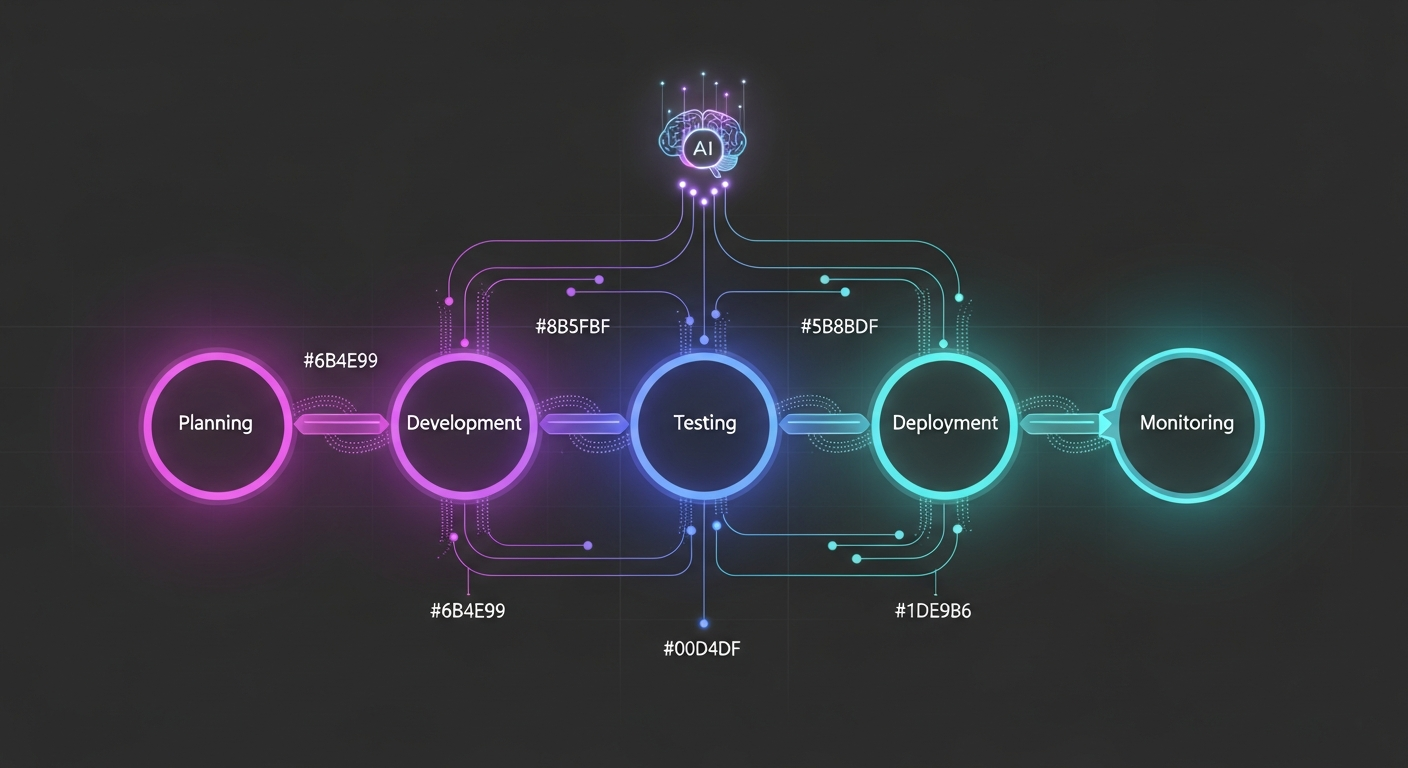
All these trends can feel overwhelming. Start with low-risk, high-reward pilots. Here is a simple roadmap I follow with my teams.
-
Pilot AI coding assistants for scaffolding
Pick a single team and give them an AI assistant configured for local rules and license checks. Track time saved and defect rates.
-
Add AI-driven tests into CI
Use test generation tools to fill gaps. Run tests in a branch and evaluate stability before merging to main.
-
Integrate AI checks into PRs
Start with advisory findings, then make critical security checks blocking once false positives are low.
-
Index docs and code for retrieval augmented search
Improve onboarding and developer productivity by providing contextual answers from your codebase.
-
Plan for private models if you need domain accuracy
Sanitize data, maintain governance, and monitor drift.
Keep stakeholders involved. Engineering managers, security, legal, and product need to agree on guardrails. In my experience, cross-functional governance prevents a lot of rework later.
Quick wins and low-effort experiments
- Enable AI-based code completion in the IDE for one team and measure time on task.
- Use an AI test generator on a legacy module with low coverage. Compare bug counts before and after.
- Add an AI-powered search for docs. Watch onboarding completion metrics for new hires.
- Run AI-based dependency scans in your CI to catch vulnerable packages early.
These experiments are cheap to run and tell you a lot about where to scale AI in your org.
What I see teams getting wrong
Here are a few recurring mistakes you can avoid.
-
No review policy
Accepting AI suggestions without review is risky. Always require human verification for logic and security-sensitive code.
-
Ignoring data leakage
Indexing private code without sanitization can leak secrets. Mask tokens, API keys, and private configs before any external model sees them.
-
Blocking everything too soon
Make checks advisory initially. Tune rules before making them mandatory.
-
No metrics
Track adoption, defect rates, PR cycles, and on-call metrics to prove value. If you can't measure it, you can't improve it.
How to evaluate AI tools for your stack
Picking an AI tool takes a bit of homework. Here’s a checklist I use when evaluating AI coding tools and AI-powered software development platforms.
- Security and privacy - Does it offer private models or on-prem options? How are secrets handled?
- Integration - Does it work with your IDEs, CI, and ticketing system?
- Customizability - Can you fine-tune or add company-specific knowledge?
- Cost model - Are you paying per token, per user, or per usage? Estimate costs for your team size.
- Governance - Does it provide audit logs and model versioning?
- Accuracy and latency - Are responses accurate and fast enough for your dev workflow?
- Fallback and offline modes - Does it still work when the internet is slow or unavailable?
Don’t get seduced by flashy demos. Run a short pilot with your own codebase and workflows. The tool that shines on sample repos may struggle with your real world complexity.
Prompt and usage patterns that work
Getting useful output from generative AI often depends on how you ask. Here are a few patterns that consistently help.
- Provide context - Include repo links, relevant files, and the desired output format. The model loves constraints.
- Ask for alternatives - Request two or three design options with pros and cons. That surfaces tradeoffs you might not have considered.
- Iterate - Treat prompts like code. Start with a small prompt and refine until the output is actionable.
- Use guardrails - Require the model to cite files or lines of code. If it cannot, treat the output as speculative.
Quick prompt example for generating tests
Generate unit tests for function processOrder in orders/service.js using Jest. Focus on edge cases: missing customer id, negative quantities, and payment failure.
That prompt gives an AI test generator a clear target. The result is usually a decent baseline you can polish in 10-20 minutes.
Hiring and skills for the AI-enabled team
AI changes the skills you look for. You still need strong engineers, but the ideal profile shifts slightly. Here are skills that matter more today.
- Prompt engineering for internal tools
- Model evaluation and governance
- Observability and incident response with AI-assisted tools
- Data sanitation and privacy practices
- Ability to design CI/CD that incorporates AI checks
In my experience, existing developers pick up these skills quickly. A short internal workshop goes a long way. Teach engineers how to write prompts, how to verify AI output, and how to keep models honest.
KPIs to measure success
Don’t adopt AI for the sake of it. Tie usage to measurable outcomes. These metrics helped my teams decide what to scale:
- Pull request cycle time
- Mean time to recovery for incidents
- Code coverage and defect density
- Onboarding time for new hires
- Percentage of AI suggestions accepted after review
- Number of false-positive security alerts
Run A B tests when possible. Compare teams using AI tools against control groups. The data often surfaces which workflows actually benefit from automation.
What the next year looks like
Short term, expect deeper editor and CI integrations and richer private models. Observability and incident response will get stronger AI helpers. Agentic systems will automate more routine developer tasks, but the human will remain in the loop for critical decisions.
Longer term, we might see development environments that adapt to individual coding styles and team conventions automatically. That sounds neat, but it brings responsibility: you must control model behavior to avoid bias or drift in coding standards.
Final thoughts
AI in software development is moving from experimental to essential. The trick is to adopt thoughtfully. Pilot small, measure outcomes, and scale what clearly improves quality and developer velocity. I’ve seen teams shave significant time off routine tasks while improving test coverage and catching security issues earlier.
Remember, AI is a force multiplier, not a magic wand. It augments human judgment and amplifies both good and bad practices. Keep the human in the loop, invest in governance, and treat AI suggestions as the start of a conversation rather than the final word.
Helpful Links & Next Steps
FAQs
1. Will AI coding assistants replace software developers?
No. AI coding assistants augment developers, not replace them. Think of them as senior pair programmers that handle repetitive tasks, suggest implementations, and remember thousands of libraries. Most developers now regularly use AI tools for coding, but developers still make final architectural decisions, handle complex problem-solving, and maintain responsibility for code quality. AI excels at boilerplate generation and routine tasks, freeing engineers for higher-value work like system design and business logic.
2. How much time can I actually save using AI coding tools?
Most developers save around two to three hours per week when using AI code assistants, with high-performing users reaching 6+ hours of weekly savings. However, productivity improvements depend heavily on development context - routine coding tasks show 30-50% time savings for boilerplate generation, while complex architectural work benefits less. The key is using AI for appropriate tasks: test generation, dependency updates, documentation, and standard implementations yield the best results.
3. What are the biggest risks of using AI in software development?
Developers name security (51%), reliability of AI-generated code (45%), and data privacy (41%) as the biggest challenges. Additional risks include over-reliance on opaque models, accepting code without proper review, and dealing with AI solutions that are almost right but not quite - cited by 45% of developers as their top frustration. Mitigate these by requiring human review for production changes, implementing approval gates for critical systems, logging all AI-generated code, and treating AI suggestions as starting points rather than finished solutions.
4. How do I calculate ROI for AI coding assistants?
Conservative estimates suggest 20-30% productivity gains for appropriate use cases. Calculate ROI by: (1) measuring time saved (multiply reduced cycle time by average developer hourly cost), (2) tracking reduced incidents and their associated costs, (3) measuring feature velocity improvements, and (4) calculating headcount leverage (handling more scope without immediate hiring). A 500-developer team using enterprise AI tools faces significant annual costs, but implementation can range widely. Run a 12-week pilot with clear KPIs before full deployment.
5. Which AI coding assistant should I choose - GitHub Copilot, Cursor, or others?
There's no single best tool - choose based on fit. Consider: (1) Context awareness - does it understand your repo, docs, and tests? (2) Integration - does it work with your CI/CD pipeline? (3) Security posture - can it run on-prem or in a VPC? (4) Cost predictability - watch for usage-based overages. The most effective AI coding strategies involve layering multiple tools rather than relying on a single platform, with developers typically using 2-3 different AI tools simultaneously. Start with a small pilot, measure impact on cycle time and defect rates, then expand based on results.
6. How can AI help with software testing and QA?
AI excels at testing by generating unit tests, integration tests, and fuzzing inputs. It can prioritize tests based on risk and past failures, reducing CI runtime without sacrificing coverage. One practical workflow: have AI analyze changed files and propose a minimal test set to run on each PR, keeping the full suite for nightly runs. Modern tools provide self-healing locators and test impact analysis, automatically fixing test failures when UI components change. Always review generated tests for meaningful assertions and edge case coverage - synthetic tests may pass but be meaningless if assertions are weak.
7. What's the difference between AI coding assistants and agentic AI systems?
AI coding assistants (like GitHub Copilot) provide in-editor code suggestions and completions - they help you write code faster. Agentic AI systems are autonomous agents that execute multi-step tasks independently: they can create branches, run tests, open pull requests, and incorporate CI results. Agentic AI has reached peak interest by 2025 with 25% of companies initiating pilot projects. Use assistants for implementation help and agents for routine engineering chores like dependency updates and refactors. Always keep agents behind feature flags and require human review for production changes.
8. How do I implement AI tools without disrupting my team?
Start with this playbook: (1) Pick one workflow (test generation or dependency updates) for a 4-week pilot with a cross-functional group, (2) Define success metrics upfront (faster PRs, fewer bugs, reduced toil), (3) Log model inputs, outputs, and CI metrics for debugging and audits, (4) Set policy gates for which changes need human review, (5) Train your team with common prompts and failure modes, (6) Create a "prompt cookbook" with proven prompts for common tasks. Trust in AI accuracy has declined, so emphasize verification and review processes.
9. What governance and security measures should I implement for AI tools?
As AI touches security, billing, and user privacy, governance becomes non-negotiable. Implement these measures: (1) Log the prompt, model version, and response for every automated change, (2) Require human approval thresholds for risky domains like auth, payments, and infrastructure modifications, (3) Add model-versioning to CI, (4) Run model impact tests during pre-deploy, (5) Automate rollbacks if AI-driven changes increase error rates, (6) Treat code-generating models like third-party dependencies - pin versions and run integration tests. Start with lightweight policies for small teams and iterate into stricter rules as usage grows.
10. What metrics should I track to measure AI adoption success?
Track these essential metrics: (1) Cycle time - time from issue to merged PR should shorten, (2) Defect rate - regressions per release should not increase, (3) Test coverage and quality - look for meaningful assertions and fewer flaky tests, (4) MTTR (mean time to recovery) - AI in observability should lower this, (5) Developer satisfaction - tools that irritate get abandoned, and (6) Adoption and retention - percent of engineers using tools regularly beyond pilots. Top organizations reach 60-70% weekly usage rates. Avoid vanity metrics - focus on real outcomes that convince leadership.