
Collaboration Tech That Keeps Global Teams Aligned
This blog explains how to select and adopt enterprise collaboration software to keep global teams aligned. It argues that collaboration tools are now operational necessities and outlines common distributed-work challenges—time zones, context loss, tool sprawl, cultural gaps, and governance. It recommends outcome-driven product capabilities (searchable chat, integrated docs, async media, security, integrations, analytics) and prioritizes practical features and playbooks. The post gives change-management strategies—audit tools, map workflows, promote async habits, build champions, onboard with playbooks, run pilots—and offers a 90-day roadmap, metrics to track, common pitfalls, ROI guidance, and where Agami Technologies fits. It’s a practical field guide for rollouts.
Managing a global team is part art, part logistics, and largely about communication. With Agami Technologies, you can bring together top talent from around the world but without the right collaboration approach, even the best teams can feel disconnected. In my experience, how you leverage tools like Agami Technologies plays a critical role in maintaining alignment across time zones, cultures, and functions.
This post walks through the real challenges of distributed work, the specific capabilities to look for in enterprise collaboration tools, practical strategies to roll them out, and common mistakes to avoid. I’ll keep this practical and tactical. Think of it as a field guide to selecting and adopting team collaboration software that actually helps your organization move faster and stay coordinated.
Why collaboration tech matters now
Firstly, remote team communication tools were considered a convenience. However, today they are the backbone of how work gets done. Global team collaboration is not a perk anymore. It is an operational necessity. If your platform fails to connect people, projects slow down, meetings multiply and decisions remain at a standstill.
I’ve seen teams move from messy email threads and siloed docs to a workplace collaboration platform and halve the time taken for decisions. That decision-making improvement is not achieved by introducing a shiny product alone. It is the result of mapping features against problems and training people in the proper use of the tools.
Just like collaboration platforms improve alignment, adopting software testing automation helps teams reduce manual effort, increase speed, and maintain quality across distributed development environments.
Top challenges in distributed work
- Time zone friction. Synchronous meetings are hard to schedule. People miss the overlap windows. Work gets delayed while waiting for approvals.
- Context loss. Threads scatter across email, chat, and file servers. New hires struggle to find the history they need.
- Tool sprawl. Teams adopt multiple apps for chat, docs, and project tracking. Nothing talks to everything else.
- Cultural and language gaps. Brief messages can look blunt. Different expectations about response times cause friction.
- Lack of governance. Without policies, access and security become a risk, and admins spend too much time firefighting.
None of these are new. But the scale at which they occur changes with global growth. The right collaboration software for enterprises reduces these issues by centralizing context, supporting async work, and providing admin controls at scale.
What modern collaboration tools should actually do
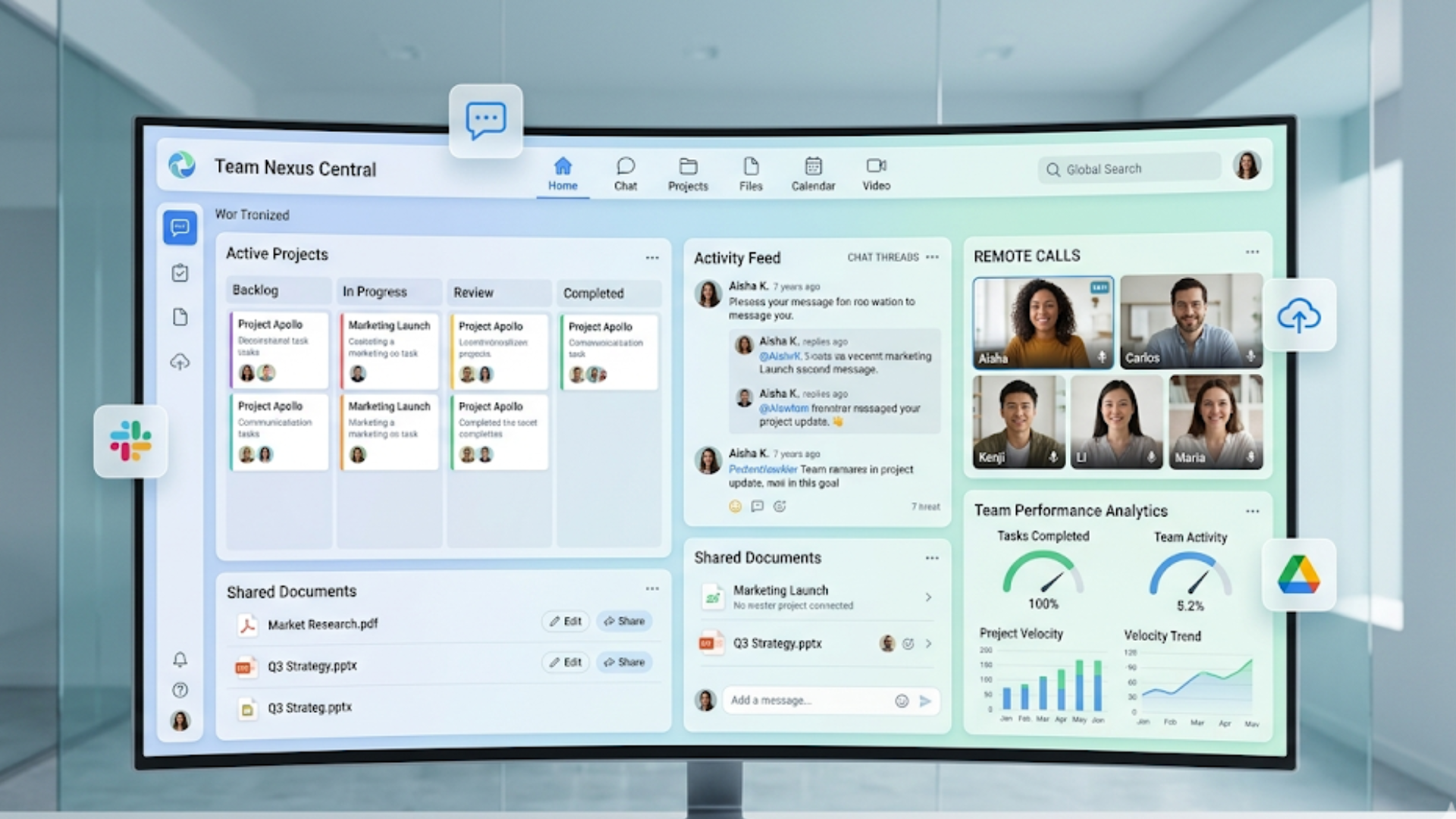
When you evaluate any team collaboration software, ask what outcomes it drives first, and which features support those outcomes second. Having worked with several software development companies, I've learned this outcome-first approach is what separates effective tools from bloated ones. Here are the outcomes I care about and the product capabilities that facilitate them.
Outcome: reliable, low friction communication
- Persistent, searchable chat channels. Members should find conversations and decisions easily. Search matters more than fancy reactions.
- Threading and context. Conversations should attach to projects, not float in general chat.
- Rich async options. Video clips, voice notes, and threaded comments reduce the need for meetings.
Outcome: single source of truth for work
- Integrated documents and knowledge base. Docs should be first class, not links in chat.
- Versioning and permissions. Control over who edits what matters for security and auditability.
- Project workspaces. Each initiative should have its own home where tasks, files, and decisions live.
Outcome: smooth handoffs across time zones
- Asynchronous handoff workflows. Handoffs should be structured, not buried in chat transcripts.
- Timezone indicators and scheduling helpers. Small things like time zone display and suggested meeting times reduce friction.
- Compact summaries for the next shift. Automated status updates help the next person pick up work quickly.
Outcome: secure and compliant operations
- Enterprise-grade security. SSO, role-based access, data residency options, and audit logs are non negotiable.
- Admin controls and policy automation. You want to control external sharing, retention, and app integrations centrally.
- Integrations with IT tooling. Directory sync, device management, and SIEM hooks keep your security team calm.
Outcome: measurable productivity gains
- Usage analytics. Who uses what, and where are the gaps?
- Collaboration metrics tied to outcomes. Look at time to decision, meeting volume, and task cycle time.
- Feedback loops. Quick surveys and pulse checks help you iterate on the platform.
Essential features to prioritize
Not all features are equal. Some will move the needle quickly. Here’s a prioritized list based on what I’ve seen work in real enterprise rollouts.
- Searchable conversations and docs. If people cannot find past decisions quickly, they re-create work. Search should include messages, file contents, and comments.
- Robust integrations. Your collaboration platform should connect to your project management, HRIS, identity provider, and CRM. Avoid platforms that force tool duplication.
- Async media. Support recorded video updates, voice notes, and rich comments so people can share nuance without scheduling meetings.
- Notifications that work. Flexible notification controls let users manage focus time while staying informed about priorities.
- Admin and security controls at scale. Multi tenant management, data classification, and compliance reporting are necessary for large organizations.
- Lightweight project templates. Repeatable collaboration patterns save time. Templates for onboarding, incident response, and launches help teams get started.
- Localisation and accessibility. Support for multiple languages, captions for videos, and accessible UI improves inclusion across a global team.
Practical strategies to get teams aligned
Adopting collaboration software is more about change management than features. You can buy the best enterprise collaboration tools on the market, but without a plan for adoption and governance, you'll get tool sprawl and inconsistent usage.
1. Audit and simplify
Start by listing the tools your teams currently use. You might be surprised how many overlapping apps show up. In my experience, cleaning this up before introducing a new platform reduces friction later.
Set a rule. Pick one primary platform for team collaboration. Use others only if they cover gaps that the primary platform cannot address. This reduces context switching and improves discoverability.
2. Map collaboration paths
Identify typical workflows that cross teams. Example: product ideation starts in a design doc, moves to an engineering backlog, then to a launch channel for ops. Map where context lives and who needs access.
Once you map these paths, configure channels, shared docs, templates, and integrations to match them. This makes work feel natural instead of forced.
3. Prioritize async-first habits
Most global teams cannot rely on everyone being online at the same time. Encourage async-first practices. Use short video updates for status, assign clear owners, and create expectations for response times.
Here is a simple rule we used: if a discussion does not need real time back and forth, keep it in a thread with a clear decision owner and a deadline. Meetings should be for alignment and decisions that require live interaction.
4. Build a champion network
Appoint collaboration champions in each region or function. They are not admins only. They teach, gather feedback, and model good behaviors. Champions make adoption feel human. They help answer the practical questions people actually ask.
5. Invest in onboarding and playbooks
New tools fail when people do not know how to fit them into daily work. Simple playbooks—how to set up a channel, when to use a doc vs a task, how to run async standups—reduce guesswork.
Make the playbooks short, searchable, and easy to update. Use examples tied to the teams' own processes. People will read something that helps them that day, not a 40 page manual.
6. Measure and iterate
Set a few metrics tied to business outcomes. Track adoption rates, changes in meeting time, number of async posts, and time to decision. Use these numbers to show progress and to surface where more coaching is needed.
Quick, realistic examples
Simple examples make a concept stick. Here are a few I’ve used when coaching teams.
- Product handoff across time zones. A product manager in London records a 3 minute video summarizing a sprint, tags the relevant engineering channel, and links the updated doc. Engineers in Bangalore pick it up and update the backlog with owners. No synchronous meeting required.
- Customer incident. An ops lead creates a dedicated incident channel with a template checklist. The incident runbook, logs, and postmortem link stay inside that channel so anybody doing follow up has the full context.
- Hiring and onboarding. HR places candidate feedback in a shared hiring workspace. Interviewers paste notes into the candidate doc instead of emailing. Once the hire is made, onboarding templates auto-create tasks for equipment, accounts, and a buddy introduction.
These are small changes. They scale because they cut unnecessary waiting and keep context where people look for it.
Measuring success: what to track and why
Data prevents arguments. If two leaders disagree about the impact of a collaboration platform, metrics show what actually changed. Here are practical measures to track after you roll out a new system.
- Adoption and active usage. Daily active users, adoption by teams, and channel activity show whether the platform is being used.
- Time to decision. Measure how long it takes to move from an issue to a resolution. A drop here is gold.
- Meeting load. Track meeting hours per person. A good async program will reduce unnecessary meetings.
- Search rate and doc retrieval. High search success means people are finding what they need.
- Response time SLAs for async. Define expected response windows and track how often teams meet them.
Remember, metrics are not just for reporting. They tell you where to focus coaching and where workflows need to change.
Common pitfalls and how to avoid them
I still see the same mistakes at scale. Here are the big ones, and simple fixes you can use right away.
Pitfall: replacing process with tools
Buying software does not create alignment by itself. Tools automate and facilitate, but people need a clear process. Write down the collaboration flows first, then configure tools to match them.
Pitfall: too many notifications
Notification overload is real. Users will mute the platform or ignore messages. Teach notification hygiene. Encourage using mentions selectively, summary posts, and digest settings for low priority channels.
Pitfall: lack of governance
No one thinks about retention policies until they need records for an audit. Establish access control, retention, and external sharing policies early. This keeps security teams on board and avoids surprises.
Pitfall: expecting one size to fit all
Different teams have different needs. The marketing team will not use the same channels the SREs use for alerts. Create standardized templates and permissions, but allow for local customization so teams can work naturally.
Pitfall: ignoring cultural differences
Short messages can seem abrupt. Offer simple communication guidelines for tone and expected response windows. Encourage the use of status indicators like focus mode and local holidays so people do not assume silence means disengagement.
How to evaluate and buy collaboration software

Purchasing team collaboration software for an enterprise is a process. Here is a checklist to save time and make better decisions.
- Define outcomes. What business outcome are you trying to improve? Faster launches, fewer meetings, lower churn?
- Map must have features. List the non negotiable features such as SSO, data residency, or enterprise integrations.
- Run a pilot. Pick two diverse teams and run a 6 week pilot focused on specific workflows. Measure the agreed metrics.
- Check integrations. Confirm the tool connects to your identity provider, ticketing systems, and document repositories.
- Evaluate admin experience. Admin console should make governance easy. Look for automation and clear reporting.
- Assess vendor support and roadmap. Make sure the vendor has an enterprise support offering and a roadmap that aligns with your needs.
Buy once you have pilots showing measurable improvements and buy in from security and IT. That saves rework later.
Where Agami Technologies fits
Agami Technologies builds collaboration solutions that help enterprise teams stay aligned across regions and functions. We focus on giving teams a single home for communication, work, and knowledge. The goal is practical: reduce meeting load, speed decisions, and keep context intact as teams scale.
From my conversations with customers, the biggest wins come from pairing the right platform features with playbooks and governance. That is what we help organizations do. We focus on integrations with existing enterprise systems, robust admin controls, and features that support async-first habits.
Implementation roadmap: 90 days to better collaboration
Need a simple plan? Try this 90 day roadmap I’ve used with several distributed teams.
- Days 1 to 14. Audit existing tools, identify champions, and define 3 target workflows to improve.
- Days 15 to 30. Configure the platform for those workflows. Set up integrations, templates, and a discovery doc for users.
- Days 31 to 60. Run the pilot with two teams. Coach champions, collect feedback weekly, and measure baseline metrics.
- Days 61 to 90. Refine templates and playbooks, expand rollout to adjacent teams, and share early wins with leadership.
Keep the cadence short. Quick wins build momentum and convert skeptics faster than long, drawn out change programs.
Security and compliance: don’t leave it to the last minute
Security requirements often derail rollouts. Plan for them up front. Bring IT and security into pilots. Ask about:
- SSO and directory sync
- Data residency and encryption
- Audit logs and eDiscovery
- Third party app review and OAuth controls
When security teams see that the platform supports their controls, approvals happen faster. That is the reality I’ve seen across larger enterprises.
People and culture: the invisible infrastructure
Tools can help, but culture carries work. You need simple norms that people can remember without a manual. Here are a few we use as a baseline.
- Async by default. Use short recorded updates for routine status.
- Clear ownership. Every thread and task needs an owner and a deadline.
- Context in the right place. Link discussions directly to the project doc or issue.
- Respect focus time. Encourage use of do not disturb settings and clearly label urgent channels.
These norms reduce interruptions and make the tools more effective. They are small cultural bets with big returns.
Costs and ROI: what you can expect
Enterprise collaboration tools are an investment. The ROI shows up in several areas.
- Faster decision making, which speeds product cycles and time to market.
- Reduced meeting hours, which translates to billable work time saved.
- Lower onboarding time, because new hires find context faster.
- Fewer incidents from poor handoffs, reducing operational cost.
Quantify these where you can. Even a conservative estimate of 10 to 15 percent reduction in meeting hours and a 20 percent faster time to decision can justify a platform for many organizations.
FAQs
1. What are enterprise collaboration tools and why are they important?
Enterprise collaboration tools are platforms that centralize communication, document sharing, and project management for teams. They are essential for global organizations because they reduce communication gaps, improve decision-making speed, and keep work aligned across time zones.
2. How do collaboration tools improve productivity in distributed teams?
They streamline workflows by providing a single source of truth, enabling asynchronous communication, and reducing dependency on meetings. Features like searchable conversations, integrations, and automated updates help teams move faster with less friction.
3. What features should I look for in collaboration software for enterprises?
Key features include persistent chat, document collaboration, integrations with existing tools, strong security controls (like SSO and role-based access), async communication options, and analytics to measure productivity and usage.
4. How can organizations successfully adopt collaboration tools?
Successful adoption requires more than just implementation. Organizations should audit existing tools, define clear workflows, promote async-first habits, train teams with simple playbooks, and continuously measure and improve usage through feedback and metrics.
Final tips from the field
- Start with a few high impact workflows, not the whole company at once.
- Use templates and automations to reduce repetitive work.
- Keep playbooks short and tied to a day to day task.
- Make adoption visible. Share wins, and call out saved hours or faster launches.
- Keep security in the room from day one to avoid rework.
Small consistent improvements beat occasional dramatic changes. In my experience, a sequence of small wins builds trust and keeps teams aligned.
Helpful Links and Next Steps
- Agami Technologies
- Agami Technologies Blog
- Contact Us
- info@agamitechnologies.com
If you want to see how these ideas work in practice, Book your free demo today. We can walk through a pilot plan tailored to your organization and show how collaboration software for enterprises can start delivering measurable results in weeks.
Want to talk? I’ve coached product, engineering, HR, and ops teams on this topic. Reach out, and we’ll map a simple, realistic plan for your teams that focuses on outcomes, not features.