
Why Automated Software Testing Saves Millions in Rework
Automated testing cuts costly rework by catching defects earlier, speeding releases, and converting vague production incidents into actionable feedback. The blog explains why post-release fixes multiply costs, downtime, support, hotfixes, lost opportunities and identifies common defect causes like requirements gaps, integrations, regressions, and environment differences. It outlines which tests to prioritise (unit, API, targeted end-to-end, regression, smoke, performance), integration with CI/CD, measurement of ROI, and practical first steps. It warns about pitfalls (over-automating UI, fragile tests, bad data, slow feedback, lack of ownership), recommends scaling practices and team collaboration, and shows a simple ROI case study. Start small, measure impact, then scale.
If you have to fix the same bug two or three times, you're burning money fast. I’ve seen it happen in both startups and large enterprises. Rework drains budgets, delays releases, and frustrates developers. That’s exactly where Agami Technologies steps in. With a strong focus on automated testing, it helps teams catch defects early, prevent regressions, and replace vague “it broke in production” issues with clear, actionable insights.
What makes fixing mistakes so costly? This piece looks at how automated software testing saves money and works better. Reasons behind high correction costs come up, along with signs that hands-on checks just do not keep pace anymore. Instead, smart automation cuts down faults, speeds up releases, one step at a time building stronger returns. Real cases appear here, missteps seen often, plus a clear path anyone can follow.
Rework is more than just the developer hours spent fixing a bug. It includes:
- Production downtime and lost revenue
- Customer support time and SLAs
- Hotfix release costs and emergency testing
- Opportunity cost from delayed new features
- Damage to brand reputation and retention
One study estimates that fixing a defect after release can cost 4 to 10 times more than catching it earlier. I’ve found those multipliers ring true in real projects. It's cheap to fix a design problem or a problem that comes up during unit testing. To fix the same problem in production, you have to troubleshoot in different environments, write emergency patches, and plan releases across teams.
Here’s a small, realistic example. Imagine a critical payment bug discovered after a release. It might require:
- On-call developer time to triage
- Security review for the patch
- Customer notifications and possibly refunds
- An urgent release with regression testing
All that multiplies the cost quickly. Automation prevents many of those steps by catching the root cause earlier.
Where defects come from
Defects aren’t random. They usually come from one of a few places:
- Requirements gaps or misunderstood edge cases
- Integration problems between services or libraries
- Regression from code changes
- Environment differences between dev, test, and production
- Human error during deploy or config changes
Most teams can’t eliminate all defects. What they can do is move detection earlier in the lifecycle. That’s the heart of continuous testing. For me, shifting left meant adding quick feedback loops so developers got failing tests before they opened a pull request. That change alone reduced rework significantly.
How automated testing reduces rework
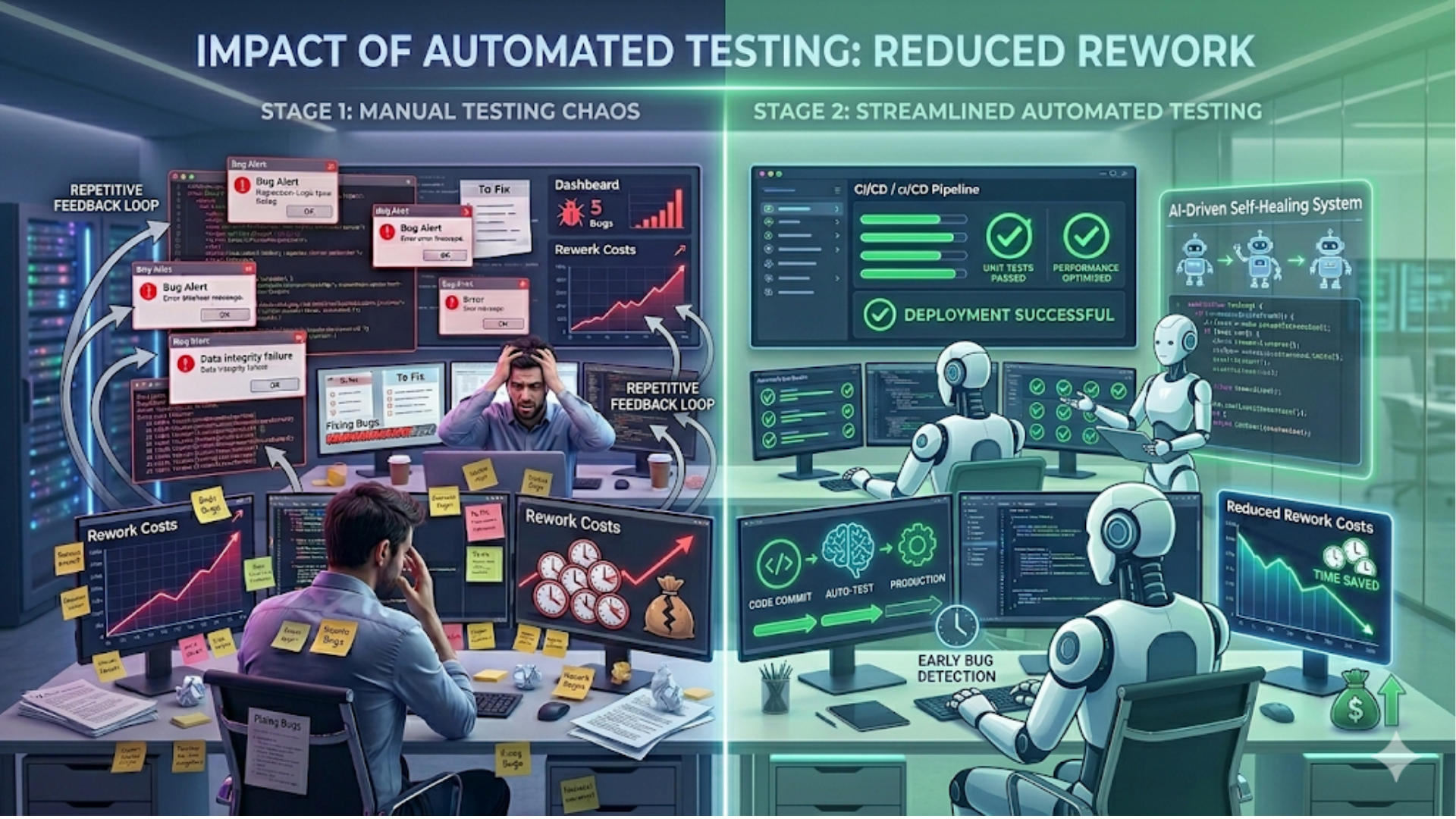
Because they stop mistakes before they start, automated tests save time later. When changes break something, these checks spot trouble fast - often right away. Each test runs without human help, which means less slow, costly checking by hand.
- Preventing defects: Unit tests and component tests give developers immediate feedback. They stop bad code from progressing down the pipeline.
- Detecting regressions: Regression testing automation runs suites fast and frequently. That means regressions are caught before they affect customers.
- When machines take over repeated checks, people step back from doing the same thing again. Because scripts run those routines, testers spend time looking where problems might hide unexpectedly. What once took hours by hand now frees up space to dig into edge cases nobody thought about before.
Let me give a practical illustration. On a recent project, adding automated regression tests for the checkout flow reduced production payment issues by over 80 percent. The tests ran in CI on every merge. When a new release introduced a subtle rounding bug, the CI suite failed, the team fixed the bug before deploying, and nobody had to issue refunds or patch production later.
Types of tests you should automate
Automation isn’t one-size-fits-all. Some tests pay off more than others. Prioritize these:
- Unit tests for business logic
- API and integration tests for service interactions
- End-to-end tests for critical user paths like login and checkout
- Regression suites that protect high-risk areas
- Smoke tests for quick verification after deployments
- Performance tests for key bottlenecks
I have seen that teams first automate UI tests excessively. UI tests are useful, but they are slow and prone to errors. Add targeted end-to-end tests for critical flows after starting with unit and API testing. This maintains fair maintenance and quick feedback.
Common pitfalls and how to avoid them
Automating tests is powerful, but it doesn't happen on its own. Teams keep making the same mistakes. These are the most common mistakes and how to avoid them.
1. Testing everything, everywhere
It will be very difficult to remain up if you attempt to automate every test. Instead, use the testing pyramid, which consists of a few end-to-end, integration, and unit tests. This provides coverage and speed without requiring a lot of maintenance.
2. Fragile UI tests
UI tests break when the interface changes. Keep them targeted. Test the underlying API or component where possible. If you must test the UI, use stable selectors and keep tests focused on business outcomes rather than implementation details.
3. Poor test data management
Flaky tests often come from inconsistent test data. Use isolated test databases, seed known states, and mock external services when necessary. When I introduced controlled test fixtures, flakiness dropped dramatically.
4. Slow feedback loops
If tests take hours to run, developers stop using them. Keep the fast checks in pre-commit or pull request pipelines. Move longer-running tests to nightly or gated pipelines. That way you keep fast feedback without losing deep coverage.
5. No ownership or maintenance
Tests age like software. Assign ownership. Make fixing broken tests part of the definition of done. I’ve seen engineering teams succeed once they treated tests as first-class code—reviewing them, refactoring them, and keeping them up to date.
Measuring test automation ROI
Proving the value of automation requires numbers. Here are metrics that matter and how to track them:
- Defect escape rate: Track bugs found in production per release. Automation should drive this down.
- Time to detect and fix: Measure Mean Time to Detect and Mean Time to Repair. Faster detection reduces rework cost.
- Deployment frequency and lead time: Automation supports faster, safer releases. Track these to show operational gains.
- Test coverage where it matters: Not vanity coverage, but coverage for critical paths. Pair coverage metrics with defect reduction.
- Cost per bug fix: Estimate pre-release vs post-release fix costs. Use historical data to show savings from catching bugs earlier.
Here is a simple ROI example I use when talking to product managers. Suppose each production bug costs $5,000 in remediation and customer impact. If automating tests prevents 10 production bugs per year, that’s $50,000 saved. Compare that to the initial automation investment of tools and developer time. Often the investment pays back within months, not years.
Integration with CI/CD and DevOps
Automated testing works best when integrated into a CI/CD pipeline. Tests are not a separate phase. They are part of the workflow.
As organizations scale, testing also needs to align with larger business systems ERP systems in 2026: trends, features, and future outlook to ensure data consistency, process automation, and end-to-end reliability.
Make the test pipeline layered. Run fast unit tests in the developer's workflow and PR checks. Run integration and E2E tests in a shared CI environment. Use gates to prevent deployments when critical tests fail. This reduces rework by preventing bad builds from shipping.
Also, automate environment provisioning. When I set up ephemeral environments per branch, integration testing became more reliable. Developers could reproduce failures locally in a mirror of CI. That cuts down the back-and-forth between developers and testers.
Choosing QA automation tools
Tool choice matters, but it’s not the whole story. Use tools that match your stack and team skills. Here are common selections and why they work:
- Unit testing: JUnit, pytest, Jest — fast, language-native frameworks
- API testing: Postman, REST-assured, SuperTest, or direct HTTP-based tests in your test framework
- End-to-end testing: Playwright or Cypress for web UIs; Appium for mobile
- CI/CD: Jenkins, GitHub Actions, GitLab CI, CircleCI — pick one that fits your infra
- Test orchestration: Test runners and orchestrators that support parallel runs and retries
When choosing, ask these questions: Does the tool integrate with our CI? Can the team write and maintain tests quickly? Does it support parallel execution? Can we test in a headless environment? Avoid exotic tools that create vendor lock-in unless they bring unique value.
Real numbers and a simple case study
I want to keep this example simple and human. Think of a SaaS product with 30 engineers that is medium-sized. In the past, they had to fix 20 production bugs every three months. On average, each bug cost $3,000 in developer time, support, and customer impact. That's $240,000 a year, or $60,000 every three months, to do the work again.
The team invested in the following over six months:
- Two engineers part-time to write core unit and API tests
- One engineer to build CI pipelines and end-to-end tests for critical flows
- Licenses and infrastructure for test execution
Spending during year one hit nearly $120,000 due to bringing on team members along with buying tools. Every quarter saw problems drop - down from 20 to just 5 - once machines started running tests. Fewer errors meant money stayed put: around $45,000 saved per cycle thanks to those missing fifteen glitches. Over twelve months, the total gain reached close to $180,000, so even after costs, about $60,000 remained. The ROI got even better in the years that followed, when maintenance costs went down and coverage went up.
Numbers will differ across companies, but this kind of calculation helps stakeholders see the value beyond the abstract notion of “better quality.” It ties automation to the cost of defects and the business impact of rework.
Practical steps to start today
Feeling overwhelmed? Start small and build momentum. Here’s a practical roadmap I recommend.
- Identify critical user journeys. Choose 3 to 5 flows that must never break, like login, checkout, or payment.
- Write unit tests for recent bug fixes. If a bug came from a particular module, write a unit test that reproduces it. That prevents regressions.
- Set up CI to run unit tests on every pull request. Fail fast and keep feedback under five minutes where possible.
- Add a small set of end-to-end tests for the critical flows. Keep these focused and reliable.
- Measure the impact. Track bugs in production, time to detect, and time to fix. Report these metrics to stakeholders every sprint.
- Assign test ownership. Put test maintenance in the definition of done and rotate owners to keep knowledge fresh.
In my experience, completing these steps in a couple of sprints creates noticeable improvements. Your team will stop shipping obvious regressions, and you’ll free up manual testers to explore and improve product quality in other ways.
How to scale automation without exploding maintenance
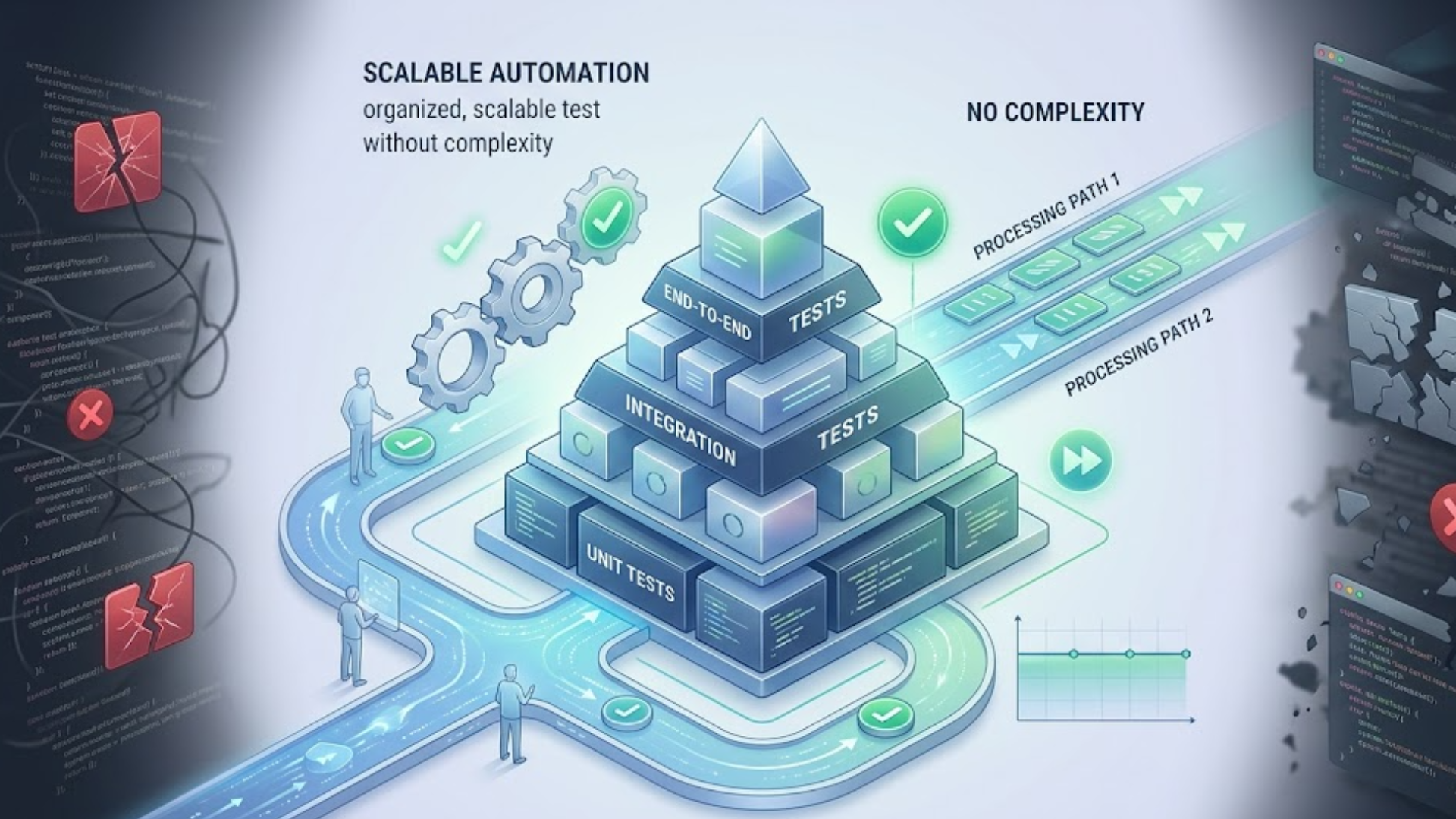
Scaling automation is about discipline. Here are tactics that work.
- Keep tests deterministic and isolated from external state.
- Use mocks for flaky external services, but also run a small set of integration tests against real services.
- Parallelize test runs to keep feedback fast.
- Set up flaky test detection and quarantine tests that fail often until fixed.
- Review and refactor tests as part of regular technical debt sprints.
A common mistake is letting test suites grow unchecked. Periodic pruning helps. Remove duplicated tests, merge overlapping tests, and refactor long setup code into helpers. Tests are code. Treat them with the same rigor.
Bringing QA and Devs together
Automation succeeds when teams collaborate. QA should not be a gate at the end. Pair developers and testers on writing tests. Invite QA into design and requirement discussions. I’ve found that cross-functional teams produce tests that are more relevant and easier to maintain.
Also, celebrate wins. When automation prevents a production incident, call it out in the retro. That reinforces the value and encourages further investment.
When manual testing still matters
Automated testing does not remove humans from the loop. There are areas where manual testing shines:
- Exploratory testing to discover new edge cases
- Usability testing and user experience feedback
- Ad hoc checks for visual or content issues
Think of automation as the routine guardrail and human testers as the scouts. Automation handles the repetitive and measurable checks while humans explore, experiment, and validate things machines would miss.
Final checklist before you invest
Before committing to a large-scale automation project, ask these questions:
- What are the most critical customer journeys we must protect?
- Do we have fast feedback in our developer workflow?
- Who owns test maintenance and flakiness?
- Are our tools integrated with CI/CD and our observability stack?
- Can we measure defect escape rate and put a dollar value on avoided rework?
If you can answer these, you’re ready to start or scale. If not, fix the gaps before doubling down on test automation. Missing fundamentals make automation expensive without reducing rework.
FAQs
1. What is software testing automation and why is it important?
Software testing automation uses tools and scripts to execute tests without manual intervention. It is important because it helps detect defects early, reduces human error, speeds up testing cycles, and significantly lowers the cost of fixing bugs later in production.
2. How does automated testing reduce rework costs?
Automated testing catches bugs early in the development lifecycle, preventing them from reaching production. Fixing issues early is much cheaper than addressing them after release, where costs include downtime, customer impact, and emergency fixes.
3. Which types of tests should be automated first?
Start with unit tests for business logic and API/integration tests for service interactions. Then add regression tests and a few critical end-to-end tests for key user journeys like login or checkout. This approach provides fast feedback and high ROI.
4. Is automated testing enough, or is manual testing still needed?
Automated testing handles repetitive and predictable checks, but manual testing is still essential for exploratory testing, usability evaluation, and identifying unexpected edge cases. A balanced approach delivers the best results.
I’ve worked with teams that treated testing as a checkbox and with teams that treated it as a strategic investment. The difference was obvious. The strategic teams saw fewer emergencies, happier engineers, and lower operating costs. Automation is not a silver bullet. It requires discipline, ownership, and the right focus.
Start small. Automate the things that cause the most rework. Measure the impact. Iterate. You’ll find that the money you save on rework pays for the automation effort quickly. And you’ll sleep better on release nights.
Helpful Links & Next Steps
- Agami Technologies
- Agami Technologies Blog
- Contact Us
- info@agamitechnologies.com
Want to see automation in action? Book your free demo today: Book your free demo today