Empowering Remote Teams with Enterprise Mobility Solutions
This blog presents a practical playbook for implementing enterprise mobility solutions to support remote and field teams. It outlines common pain points: unofficial apps, unmanaged devices, slow mobile workflows, complex rollouts, and weak measurement, and recommends a layered approach: device and app management, identity and data protection, connectivity, and analytics. Key advice includes starting from measurable business goals, following an iterative blueprint (assess, prioritize, design, secure, pilot, roll out), designing minimal offline-first apps, balancing security with usability, pragmatic integrations, and a simple ROI model. The post also covers industry use cases, vendor selection, common pitfalls, cost factors, and a short checklist to get started.
Remote work is no longer an experiment. It is the way many teams get things done. But giving people mobile tools without a plan creates chaos. Bring the right enterprise mobility solutions, and you can boost productivity, tighten security, and cut costs. I've seen organizations scramble to patch together apps and VPNs. Those stopgap fixes cause more headaches than they solve.
This post walks through a practical, realistic approach to enterprise mobility management solutions for remote teams. I will cover what works, what to watch out for, and how to measure value. If you manage IT, operations, digital transformation, or a distributed workforce, consider this a playbook you can adapt.
Why enterprise mobility matters now
Companies in BFSI, healthcare, logistics, real estate, SaaS, and field service rely on staff who are rarely at a desk. The phones and tablets they carry are the frontline of your business. Enterprise mobile app development services and secure mobility solutions for enterprises let you deliver workflows, data, and compliance to those frontlines.
In my experience, mobility projects that focus only on remote access fail to move the needle. Real benefits come from combining a clear enterprise mobility strategy with thoughtful deployment and management. When done right, enterprise mobility solutions for remote teams improve productivity, reduce errors, and make audits easier.
Common pain points I see
- Multiple unofficial apps. People use consumer apps for work because they are convenient. That creates data leakage and support nightmares.
- Poor device control. Devices are unmanaged or inconsistently configured, which increases security risk.
- Slow workflows. Mobile interfaces and bad app design waste time across hundreds of daily interactions.
- Complex rollouts. Projects stall when IT, security, and business teams do not agree on requirements.
- Lack of measurable outcomes. Leaders ask for ROI, but teams struggle to provide meaningful metrics.
Those problems are fixable. The trick is to pick solutions that match how your teams actually work, not how they were supposed to work a few years ago.

What enterprise mobility solutions should cover
Think in layers. You need secure device and app management, user-friendly mobile apps, connectivity and identity, and operations level tools to measure and optimize. Here are the core pieces.
- Device management. Use enterprise mobility management solutions to inventory, configure, and secure corporate and BYO devices.
- Mobile apps. Build or integrate enterprise mobile app development services that support offline work and fast data capture.
- Identity and access. Single sign on, multi factor authentication, and least privilege access keep data safe without slowing people down.
- Data protection. Encryption, secure containers, and remote wipe make sure sensitive information does not leave the company perimeter.
- Connectivity tools. Smart caching and sync help performance over intermittent networks common in field work.
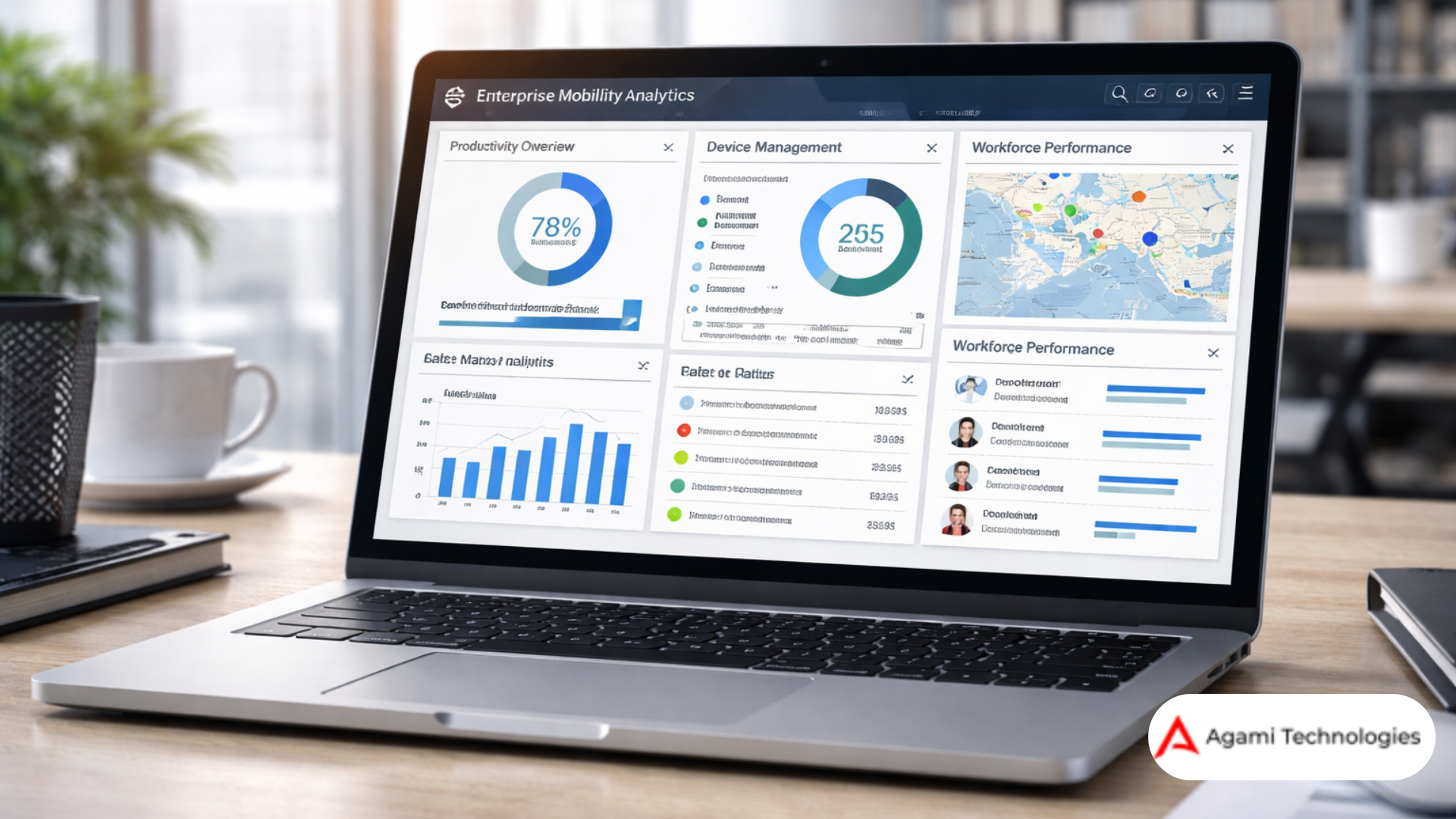
- Analytics and monitoring. Track app usage, device health, and business outcomes to prove ROI and guide improvements.
Ignore any of these, and you will ship a half baked solution. Focus on them, and you get a platform that supports real business processes.
Start with goals, not tools.
It pains me to say this, but many mobility programs start with a vendor checklist. That is backwards. First, define the business outcomes you need. What are the three top priorities for your remote teams? Faster job completion, fewer compliance incidents, lower travel costs? Pick measurable goals and design the mobility program to achieve them.
For example, one logistics client I worked with wanted fewer failed deliveries and better proof of service. We implemented a mobile workflow that included route updates, photo capture, and integrated signatures. The team reduced repeat visits by 22 percent in three months. That outcome mattered more than the brand of device management tool we used.
Blueprint for an enterprise mobility strategy
Here is a simple blueprint you can use immediately. I recommend treating it like an iterative roadmap, not a fixed plan.
-
Assess
Map devices, apps, connectivity limits, and workflows. Talk to field staff. Patchy assumptions about how people work are the single biggest risk to success.
-
Prioritize
Choose use cases with high impact and low friction. Examples include time capture, inspections, and customer check ins.
-
Design
Create simple mobile workflows. Make the UI minimal and the steps obvious. Remember, screen size and network conditions matter.
-
Secure
Apply enterprise mobility management solutions, identity controls, and data protection. Start with default deny and open only what's needed.
-
Pilot
Run a targeted pilot with a small group. Use the pilot to refine permissions, UX problems, and training needs.
-
Rollout and measure
Scale the deployment in waves and track KPIs. Use analytics to make data driven tweaks and show business value.
Designing mobile apps that actually get used
Good mobile app design is how you win adoption. If the app is slow, cluttered, or forces extra steps, it will gather dust. I always recommend three simple rules.
- Keep screens minimal. Focus on one job per screen and remove optional fields.
- Optimize for offline. Assume a field worker will go in and out of coverage. Queue data and sync when the network returns.
- Minimize typing. Use pick lists, scanned barcodes, and voice capture where it makes sense.
One common mistake is trying to replicate a desktop workflow on mobile. Don't do that. Mobile requires shorter flows and clear affordances. If you need complex reporting or dashboards, keep those on the web. Let the mobile app do quick, high value tasks.
Security that balances control and usability
Security is often the blocker that slows mobility projects. Tighten controls but avoid making the user experience painful. Here are practical controls that work in the real world.
- Use enterprise mobile app management to isolate corporate apps and data on employee devices without a full device wipe when not necessary.
- Enable multi factor authentication for sensitive actions, but consider step up authentication only for high risk tasks.
- Enforce encryption at rest and in transit. That is non negotiable in regulated industries like healthcare and BFSI.
- Segment access by role and context. A sales rep does not need the same privileges as a claims adjuster.
- Automate device posture checks. Block or limit access for outdated OS or compromised devices.
Security is a mix of policy, tooling, and education. Training often gets ignored. A short, quick-start guide and one live demo will save you support calls later.
Integrations that reduce friction
Remote teams use many backend systems. Mobile apps must connect to CRM, ERP, EHR, route planning, and inventory systems. Integration is where projects slow down, so keep things pragmatic.
- Start with a middleware approach to avoid tight coupling. That reduces vendor lock in. If you're exploring cloud application development, choosing the right architecture early can prevent major scalability issues later.
- Expose only required APIs. Keep payloads small to optimize bandwidth.
- Implement change data capture or event driven sync for near real time updates.
- Cache reference data locally on the device and sync overnight for non critical data.
I once saw a field service rollout bog down because every sync pulled a 50 megabyte dataset. We changed the sync to incremental updates, and the app became usable overnight. Small engineering choices matter.
How to calculate ROI for mobility projects
Leaders want numbers. Here is a simple model you can use during business cases. Keep it conservative.
- Identify direct time savings. Multiply time saved per task by the number of tasks per employee per year and average hourly cost.
- Estimate error reduction. Multiply avoided rework or penalties by their frequency.
- Include support cost reduction from fewer phone calls and paperwork.
- Quantify opportunity gains, like faster sales cycles or higher field throughput.
- Subtract known costs for development, licensing, devices, and management.
Example. If a mobile app saves 10 minutes per day for 200 field workers, that is roughly 83 hours per year per worker. At 20 dollars per hour, that is 332,000 dollars annually in time savings. Add reduced repeat visits and lower paper processing costs, and the ROI looks strong. Use your own numbers, but this template makes the calculation straightforward.
Use cases by industry
Different industries need different features. Here are concise, real examples that show where enterprise mobility solutions shine.
BFSI
Mobile apps that enable secure remote document capture, identity verification, and e signing reduce branch visits. I worked with a regional bank that cut loan processing times by half when agents used a mobile app for KYC and document upload.
Healthcare
Clinicians need offline access to patient records, secure messaging, and simple workflows for vitals capture. Mobility solutions must meet HIPAA or local privacy rules. A smart mobile workflow cuts charting time and frees clinicians to spend more time with patients.
Logistics
Route updates, proof of delivery photos, barcode scans, and live ETA updates are the bread and butter. A logistics provider that optimizes mobile workflows reduces missed deliveries and customer complaints.
Real estate
Agents benefit from fast property lookups, document signing, and appointment scheduling on the go. Integrate mobile CRM with calendar and mapping services to save time on the road.
SaaS
SaaS companies that serve mobile-first customers need SDKs and APIs that make product features accessible on phones and tablets. Focus on offline capability and lightweight SDKs to avoid bloated apps.
Field service
Field technicians require job instructions, parts inventory, and spare parts ordering in one app. Offline-first mobile apps with step by step repair guides reduce mean time to repair and increase first time fix rates.
Common implementation pitfalls
Avoid these mistakes. They show up in almost every mobility program that struggles.
- Trying to solve everything at once. Break projects into small wins and ship fast.
- Neglecting user research. If you do not talk to field staff, you will build the wrong workflows.
- Underestimating integrations. Plan early for API mapping and data contracts.
- Skipping pilot phases. Pilots reveal real world issues you cannot simulate in a lab.
- Ignoring change management. Users need training, cheat sheets, and a path to report bugs.
One project I saw went live before a pilot. Support calls skyrocketed and adoption stalled. The team lost faith in the app. That cost more than the pilot would have.
Selecting the right vendor partner
Picking a vendor is both technical and human. Look for a partner who understands field operations, not just enterprise IT. Here are the selection criteria that matter.
- Proven experience in your industry. Mobility solutions for the field workforce are different from office productivity apps.
- Complete capabilities. You want enterprise mobility management solutions plus mobile app development services and integration skills.
- Security and compliance track record. Request evidence of certifications and past audits.
- Flexible delivery models. A good partner can build, integrate, or augment your team depending on your needs.
- Clear roadmap for updates and support. Mobility is not a one time project; it evolves with device platforms and business needs.
Agami has helped several mid and large enterprises with secure mobility solutions for enterprises and enterprise mobility strategy. If you are evaluating partners, look for a company that offers both consulting and implementation, and that can walk you from pilot to scale.
Measuring success and continuous improvement
Set measurable KPIs and review them in short cycles. I recommend monthly checks during rollout and quarterly executive reviews. Typical KPIs include:
- App adoption rate and daily active users
- Task completion time and first time fix rate
- Number of compliance incidents or security events
- User satisfaction scores and support ticket volume
- Cost savings from reduced paper, travel, or rework
Once you have baseline metrics, use A B testing for UI changes and feature rollouts. Small tweaks to flow or wording can have outsized effects on speed and accuracy. Keep iterating.
Quick implementation checklist
Before you start a pilot, run through this checklist. It cuts ambiguity and aligns stakeholders.
- Business goals defined and measured
- Primary user personas mapped
- Device and network constraints documented
- Integration points identified and API owners engaged
- Security requirements signed off
- Pilot users and timeline selected
- Support and training plan ready
Tick these off, and you will reduce risk. Missing any of them invites scope creep and delayed timelines.
Simple example: Field inspection app
Here is a simple example you can picture. A regional utility company needs a mobile inspection app. The goals are faster inspections, accurate data capture, and fewer missed issues.
- Design a one page checklist per asset with photo and GPS capture.
- Enable offline capture and background sync when the network returns.
- Integrate with the CMMS to create tickets automatically for failed checks.
- Use role based access so inspectors only see relevant assets.
- Measure time per inspection and number of defects flagged.
We piloted that kind of app and reduced inspection time by a third. The automated tickets also sped up repairs. It is simple, but it works because it focuses on the actual job the user does every day.
Security and compliance quick wins
If security is your biggest blocker, try these quick wins to show progress fast.
- Enable encryption on all devices used for work.
- Roll out multi factor authentication for remote access to core apps.
- Segment corporate apps into secure containers to reduce data leakage risks.
- Automate device enrollment and baseline configuration to avoid manual errors.
These steps do not solve every security need, but they reduce the largest and most common risks quickly. That buys time for more complex controls.
Cost considerations and licensing models
Costs vary a lot by scope, but here are the components to budget for.
- Initial development or integration work
- Licensing for enterprise mobility management and backend APIs
- Device procurement and lifecycle costs
- Support and training
- Ongoing maintenance and enhancements
Pay attention to license models that scale with users or devices. Sometimes you will save money by using a tiered license or negotiating bundles that include integration and support. Ask vendors for real world TCO examples in your industry.
When to build versus when to buy
Build when you have unique workflows that off the shelf products cannot support. Buy or configure when standard capabilities like device management and secure containers will do the job. Many companies adopt a mixed approach. They buy an enterprise mobility management solution and build custom mobile apps that sit on top of it.
My rule of thumb is to buy common infrastructure and build core differentiators. That reduces time to value and keeps your team focused on what matters.
FAQ
What are enterprise mobility solutions?
Enterprise mobility solutions are tools and strategies that enable employees to securely access business systems and data on mobile devices from any location.
How do enterprise mobility solutions improve productivity?
They reduce manual work, enable real-time data access, streamline workflows, and minimize delays caused by location or device limitations.
What is the difference between MDM and EMM?
Mobile Device Management focuses on controlling devices, while Enterprise Mobility Management includes apps, data security, identity, and broader mobility strategy.
Are enterprise mobility solutions secure?
Yes, when implemented correctly with encryption, MFA, device management, and access controls, they significantly reduce security risks.
Which industries benefit most from enterprise mobility?
Industries with distributed teams like healthcare, BFSI, logistics, real estate, and field services benefit the most.
How do you measure ROI in enterprise mobility?
By tracking time savings, reduced errors, lower operational costs, improved task completion rates, and increased workforce efficiency.
Final thoughts and practical next steps
Enterprise mobility solutions for remote teams are both technical and human. The best programs combine solid tech choices with real user research and measurable business goals. Start small, prove value, and scale with data.
If you are responsible for enabling a distributed workforce, ask these questions today. What is the one workflow we can digitize that will save the most time? Who will pilot it? How will we measure success? Answering those three questions will get you further than a long vendor evaluation alone.
Agami helps organizations build secure mobility solutions for enterprises and implement enterprise mobility strategy from pilot to scale. If you want a partner that understands field operations and compliance requirements across BFSI, healthcare, logistics, real estate, and SaaS, Agami can help.
Helpful Links & Next Steps
Ready to talk specifics? Book a meeting today, and we can map a pilot that fits your remote teams and budget. It is much easier to design a plan when you have real data and a partner who has done this before.