How DevOps Automation Speeds Up Software Delivery Cycles
This blog argues DevOps automation speeds software delivery by removing manual handoffs, enforcing consistency, and shortening feedback loops. It outlines where automation gives the biggest gains—CI, CD/GitOps, IaC, containers, testing, and observability—and recommends 2026 tools and AI-assisted features. The author provides concrete examples (fast CI, automated rollbacks, ephemeral environments), a practical rollout plan, metrics to measure impact (DORA), common pitfalls, cost and security considerations, and suggested toolchains by use case. The purpose is to help teams run pragmatic automation pilots, measure outcomes, and scale safely to accelerate delivery and reduce risk.
How DevOps Automation Speeds Up Software Delivery Cycles
If you work on software delivery, you already know the painful bottlenecks all too well manual handoffs, snowballing PR reviews, and environment drift hitting you at 3 a.m. At Agami Technologies, we’ve seen teams waste weeks on tasks that modern DevOps automation could reduce to just hours. DevOps automation is the key that closes this gap. It empowers teams to ship faster, with significantly fewer rollbacks and lower operational costs — turning chaotic delivery cycles into smooth, reliable, and high-velocity pipelines.
In this post I’ll walk through how DevOps automation accelerates delivery, where it gives the most value, the tools that matter in 2026, and practical steps to get your pipelines humming. Think of this as a coach’s playbook for taking CI/CD automation, infrastructure as code tools, and AI-powered DevOps tools from theory to practice.
Why automation is no longer optional
Manual processes slow everything down. Humans make decisions, review code, provision environments, and troubleshoot. That gets expensive and error prone at scale. Automation removes repetitive work, enforces consistency, and shortens feedback loops.
Here’s what automation actually changes for teams.
- Faster feedback: Automated tests and continuous integration catch regressions the moment a change lands. That means developers know what’s broken while the change is still fresh in their heads.
- Higher deployment frequency: When your pipeline is automated, releases become routine. You stop treating deployments as risky events and start treating them as part of normal engineering rhythm.
- Lower failure rates: Infrastructure as code and automated rollbacks reduce configuration drift and human error. Failures are caught earlier and scoped smaller.
- Predictable lead times: With CI/CD automation and standardized pipelines, you can reliably measure and improve lead time for changes, one of the DORA metrics everyone cares about.
- Cost control: Automation scales operational work with code. That reduces time spent on firefighting and lets teams reallocate effort toward product innovation.
Where automation gives the biggest wins
Not all automation projects pay off equally. Focus on the places that slow your delivery most often.
- Continuous integration automation: Fast unit tests, parallel builds, and merge gating eliminate late surprises.
- Continuous deployment pipeline: Automate deployments to dev, staging, and production with repeatable checks and safety gates.
- Infrastructure as code tools: Use declarative tools to provision and manage environments reliably.
- Container build and orchestration: Consistent container images and automated rollout strategies reduce environment-specific bugs.
- Automated testing and quality gates: Shift-left testing, contract tests, and automated security checks keep defects out of production.
- Observability and incident automation: Auto-created dashboards, alerting policies, and automated remediation reduce mean time to recover.
In my experience the biggest single boost comes from automating your CI pipeline and integrating it tightly with your IaC and deployment tooling. When change builds, tests, and deploys automatically you remove most of the delay that builds up across teams.
Tool categories and recommendations for 2026
Picking the right tools matters. You want options that integrate well, scale, and support modern patterns like GitOps and AI-assisted automation. Below I list the tool categories with solid choices and quick notes on how teams typically use them.
Continuous integration tools
- Jenkins: Still useful for complex, customized pipelines. Great if you need deep plugin flexibility. Requires more maintenance than hosted options.
- GitHub Actions: Excellent for teams already on GitHub. Native integration with PRs, secrets, and marketplace actions makes adoption fast.
- GitLab CI/CD: Strong all-in-one option, especially when you want a unified platform for repo, CI, and deployments.
Tip: Start with hosted runners or managed services. You can always migrate to self-hosted agents if you need custom compute. Trying to DIY everything from day one is a common pitfall.
Continuous deployment and GitOps
- Argo CD: Great for GitOps-driven Kubernetes deployments. It watches your Git repos and applies changes declaratively.
- Flux: Another solid GitOps option with good integration with tooling landscapes.
- Harness: Enterprise-friendly CD with built-in verification and progressive delivery features. Useful when you need guardrails and auditability.
GitOps reduces human steps and makes rollbacks predictable. If your team runs Kubernetes, adopting a GitOps workflow is often the single biggest improvement in deployment reliability.
Infrastructure as code tools
- Terraform: Widely adopted for multi-cloud infra provisioning. Works well for networks, managed services, and cloud resources.
- Pulumi: Allows you to write IaC in familiar programming languages. Handy when your infra logic is complex.
- Ansible: Better for configuration management and on-host tasks. Pair it with Terraform for a full stack approach.
I've noticed teams confuse IaC with configuration management. They overlap but are different: use IaC to define resources and CM to configure software on those resources.
Containers and orchestration
- Docker: The standard for creating consistent application images.
- Kubernetes: The de facto runtime for orchestrating containers at scale. Use managed Kubernetes in production unless you have a strong reason not to.
Containers make your builds portable. Kubernetes makes deployments resilient. Together they let teams standardize environments from laptop to production.
AI-powered DevOps tools in 2026
By 2026, AI is part of many DevOps toolchains. Use it for triaging alerts, generating pipeline templates, and suggesting fixes for flaky tests. A few tools to watch:
- AI-driven pipeline optimization built into CI platforms. These suggest test sharding and caching to reduce build times.
- Automated code change analysis that flags risky infra changes before they merge.
- ChatOps integrations that let you run safe deployments from Slack with AI-suggested rollback plans.
AI is not magic. It speeds up routine decisions and surfaces risks but you still need human oversight. A common mistake I see is treating AI recommendations as gospel. Always validate suggestions, especially those that touch production infra.
How these tools actually speed delivery: concrete examples
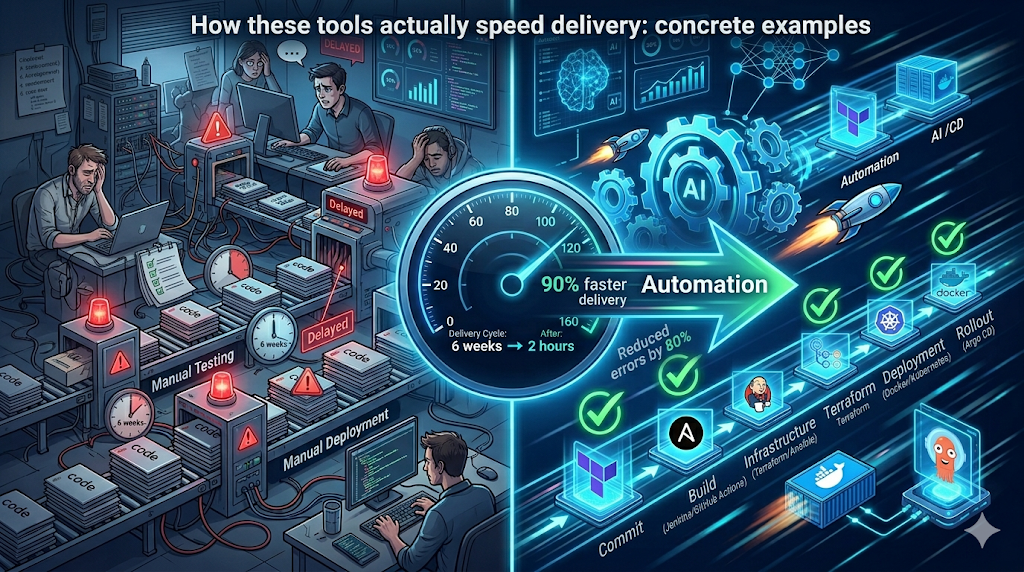
Let's walk through a few simple, human examples that show how automation trims time and reduces risk. No fluff, just what you can implement this week.
Example 1. Fast feedback with CI automation
Problem: A change breaks production, but the failure is only caught after deployment. That costs hours.
Solution: Run unit tests and static analysis on every pull request. Add a lightweight integration test suite on every merge to main branch. Cache dependencies in your CI to shave minutes off every build.
Simple GitHub Actions snippet for parallel tests
jobs:
  test:
    runs-on: ubuntu-latest
    strategy:
      matrix:
        python-version: [3.9, 3.10]
    steps:
      - uses: actions/checkout@v4
      - name: Set up Python
        uses: actions/setup-python@v4
        with:
          python-version: ${{ matrix.python-version }}
      - name: Install dependencies
        run: pip install -r requirements.txt
      - name: Run tests
        run: pytest -q
That small change often cuts feedback from hours to under 10 minutes. I’ve seen teams regain entire afternoons this way.
Example 2. Deployments with automated rollbacks
Problem: A deployment causes a bad database migration and you need a rollback. Manual rollback takes time and precision.
Solution: Use a CD tool like Argo CD or Harness with health checks and automatic rollback policies. Combine a canary deployment strategy with automated verification using smoke tests and metrics checks.
- Deploy 10 percent of traffic to the new version.
- Run smoke tests and check latency, error rates, and business KPIs.
- If metrics degrade, auto rollback to the previous stable version.
When this is automated you avoid panic at midnight. The system acts before bad release impacts grow.
Example 3. Provisioning environments reliably
Problem: QA spins up an environment manually and it does not match production. Bugs escape into releases.
Solution: Use Terraform or Pulumi to declare environments. Combine with a templated CI job that provisions ephemeral test environments per branch. Tear them down automatically after the PR closes.
That reproducibility saves debugging time. You’ll stop chasing environment-specific issues and start fixing actual code problems.
How to measure impact: key metrics and what to expect
Don’t guess if automation is working. Walk the numbers. The DORA metrics are the industry standard and they connect directly to business outcomes.
- Deployment frequency: How often you ship to production.
- Lead time for changes: Time from commit to production.
- Change failure rate: Percentage of deployments that require remediation.
- Mean time to recovery: Time to restore service after a failure.
Expect a well-executed automation effort to improve these metrics significantly. For example, moving from weekly releases to daily or multiple times per day is realistic with automated CI/CD pipelines, GitOps, and IaC. Change failure rates should drop when rollbacks and verification are automated. Mean time to recovery shrinks when you have automated remediation and runbooks triggered by your observability stack.
Common mistakes and how to avoid them
Automation can backfire when teams rush in without a plan. Here are pitfalls I see all the time and how to dodge them.
- Automate a broken process: Don’t automate trash. If your manual process is flaky, improve it first. Automation should codify a good process, not mask problems.
- Too many tools at once: Add tools incrementally. Trying to adopt five new platforms at once overwhelms teams and increases integration work.
- No observability: If you automate deployments without shipping monitoring and alerts, you won’t know when something’s wrong. Tie deployment events to dashboards and alert rules.
- Ignoring security: Secrets in pipelines and lax IAM are common mistakes. Use secret management, least privilege, and automated security scans.
- Lack of training: Tooling is only useful if your team knows it. Run brown bag sessions, pair programming, and create clear runbooks.
One small example: teams sometimes store environment secrets in plain text in repo config files. Don’t do that. Use your CI/CD platform’s secrets store, HashiCorp Vault, or cloud secret manager. I’ve had to help teams recover from secrets leaks. It’s always messy and avoidable.
Practical rollout plan: from pilot to production
Here is a simple rollout path that I recommend. It’s pragmatic and respects existing workloads.
- Audit current delivery pipeline. Map manual steps, flaky builds, and long-running tasks. You need this baseline to measure improvements.
- Pick a small pilot. Choose a non-critical service with active owners. Small wins build momentum.
- Automate CI tests. Add unit, lint, and smoke tests to the PR workflow. Cache dependencies and run tests in parallel.
- Introduce IaC. Convert the service environment to Terraform or Pulumi. Make infra changes code-reviewed like application changes.
- Adopt a CD strategy. Start with automated staging deployments, then progressive production rollout with a GitOps tool.
- Measure and iterate. Track DORA metrics, iterate on slow steps, and automate more checks. Expand to other services once stable.
- Scale safely. Add IAM, secrets management, and security scans. Create cross-team standards and templates for pipelines.
This staged approach reduces risk and lets teams learn automation patterns without disrupting delivery.
Cost considerations and scaling in emerging markets
Teams in India and similar markets often face two struggles: tight budgets and rapid scale. Automation helps both, but you need to be careful about cost levers.
- Start with managed services: Managed CI/CD and managed Kubernetes save operational overhead. They cost more per compute unit but reduce staffing and maintenance needs.
- Optimize CI costs: Use caching, test sharding, and on-demand runners to save compute. AI-powered pipeline planners in 2026 can suggest where to cache and which tests to skip for low-risk changes.
- Right-size infra: Use autoscaling and spot instances to lower cloud bills. IaC makes right-sizing repeatable.
- Measure cost per deploy: Track the cost of builds and deployments. Use those numbers to prioritize pipeline optimizations with the best ROI.
In my experience, teams that invest a bit in automation upfront save far more on operational costs over 12 to 18 months. That’s true whether you run a small SaaS product or a large fintech platform dealing with compliance and scale.
Security and compliance in automated pipelines
Automation must include security. Shift-left security practices reduce last-minute surprises and compliance risk.
- Automated SAST and dependency checks: Run these in CI and block merges on high severity findings.
- Runtime security automation: Use tools that detect anomalies in production and integrate with your incident response workflows.
- Secrets and key rotation: Keep secrets out of repos and rotate keys automatically. Integrate with your secrets manager.
- Auditable pipelines: Use CD tools that keep immutable logs and approvals for compliance audits.
Pro tip: Integrate compliance checks into the pipeline so approvals and evidence are generated automatically, helping software developers save time during audits and push secure-by-default code more efficiently.
Best practices and patterns I recommend
Here are the patterns I tell teams to adopt early on. They’re simple, but they work.
- Make pipelines declarative: Store pipeline definitions alongside code in the repo.
- Immutable artifacts: Build once, deploy the same artifact across environments.
- Automate the happy path and the rollback path: Having one without the other is a risk.
- Keep tests fast and meaningful: Long suites are ok, but make sure there’s a fast subset for CI on PRs.
- Document runbooks: Automate where possible and document the rest so on-call engineers can act quickly.
- Use feature flags: Separate deployment from release. That lets you ship code safely and roll features out progressively.
Small changes compound. A few good practices in pipelines and IaC will speed delivery more than a large expensive tool rollout without buy-in.
Quick checklist to audit your current DevOps automation
Run through this checklist during your next retrospective. It helps spot the low hanging fruit for fast wins.
- Do builds run on every PR and every merge?
- Are unit tests fast and run in parallel?
- Is infrastructure declared as code and reviewed?
- Do deployments use immutable artifacts and GitOps or automated CD?
- Are security scans integrated into CI and blocking merges for critical issues?
- Do you have automated rollbacks and health checks on deployment?
- Is observability tied to deployment events and can you correlate deploys with incidents?
- Are developers trained on the pipeline and platform? Do you have runbooks?
Real-world pitfall: a simple story
I once worked with a mid-size fintech where the team spent a week resolving a broken deployment because the staging environment used a different DB schema than production. They had no IaC and no automated tests for migrations. After we added Terraform for environment provisioning, an automated migration test, and a policy that DB schema changes require an approved migration plan, deployments went from risky to routine. That week of firefighting became an example they shared across teams. It was a classic preventable failure.
The takeaway is simple. Automate the things you test manually today. Those are the things that will bite you tomorrow at scale.
AI in DevOps: practical ways to start using it in 2026
AI is useful when it reduces routine cognitive load. Here are pragmatic ways to start using AI-enhanced DevOps tools without overcommitting.
- AI-assisted diagnostics: Use tools that summarize incident logs and suggest probable causes. That speeds up incident triage.
- Pipeline optimization suggestions: Let AI recommend caching, parallelism, and which tests to run per change set.
- Auto-generated IaC templates: Use AI to scaffold Terraform or Pulumi for standard architectures, then review and refine the generated code.
- Code review assistants: AI can flag security smells and common infra anti-patterns in PRs.
Start small. Validate AI recommendations in a staging environment. Treat AI as an assistant that reduces drudgery, not as a replacement for engineering judgment.
Recommended toolchains by use case
Here are a few concrete stacks for common scenarios. Use them as starting points, not strict rules.
- SaaS app on Kubernetes: GitHub Actions for CI, Terraform for infra, Argo CD for GitOps CD, Kubernetes and Helm for packaging, Prometheus and Grafana for monitoring.
- Enterprise with compliance needs: GitLab CI for integrated auditing, Terraform for IaC, Harness or Argo for progressive delivery, HashiCorp Vault for secrets, automated policy as code checks.
- Small team moving fast: GitHub Actions, Docker, managed Kubernetes, Terraform Cloud, feature flags using LaunchDarkly or open source alternatives.
Each combo balances operational overhead, cost, and speed. Pick one that fits your organizational constraints and iterate.
Getting buy-in: how to sell automation to stakeholders
Automation projects often need budget, time, and cultural change. Here are arguments that work with technical leaders and business stakeholders.
- Show measurable wins: Start with a pilot and present before and after DORA metrics. Concrete numbers win approvals.
- Reduce risk: Explain how automated rollbacks and testing cut outage risk and mean time to recovery.
- Faster time to market: Link improved deployment frequency directly to faster feature delivery and revenue milestones.
- Lower operational cost: Demonstrate how automation reduces manual toil and on-call hours.
When you show a CFO that automation reduces incident cost and speeds feature delivery, you stop talking about tools and start talking about outcomes.
Ultimate Micro-SaaS Guide for 2025: How to Build & Scale a Profitable Business
Discover how to launch and grow a profitable Micro-SaaS in 2025 with minimal investment. This complete guide covers niche selection, idea validation, no-code development, marketing strategies, scaling tactics, and real-world examples to help solo founders and small teams build recurring revenue businesses.
Next steps: starting an automation initiative this quarter
If you want fast momentum, pick one small service and run an automation sprint. Here’s a 6 week plan I’ve used successfully with teams that balance feature delivery and automation work.
- Week 1: Audit and pick pilot service. Map owner and constraints.
- Week 2: Automate CI for PRs with unit tests and linters. Measure baseline build times.
- Week 3: Add Terraform or Pulumi for the dev environment. Make it part of the repo.
- Week 4: Set up a staging deployment via GitOps or CD tool and add smoke tests.
- Week 5: Add rollback policies, basic observability, and alerting tied to deployments.
- Week 6: Measure DORA metrics, present results, and plan expansion to other services.
That timeline is realistic for teams with day-to-day commitments. It keeps momentum without asking teams to stop shipping features.
Helpful links & next steps
Want to try these ideas with a partner who understands modern DevOps and automation patterns? Agami Technologies helps mid-to-large organizations implement CI/CD automation, infrastructure as code tools, and AI-powered DevOps solutions.
Ready to see it in action? Book your free demo today and we can walk through a tailored automation plan for your team.
- Book your free demo today
- Contact Us
- info@agamitechnologies.com
FAQs What are the best DevOps automation tools in 2026? A: The top DevOps automation tools in 2026 include GitHub Actions and GitLab CI/CD for continuous integration, Terraform and Pulumi for Infrastructure as Code (IaC), Argo CD and Harness for GitOps and continuous deployment, Docker and Kubernetes for container orchestration, and Ansible for configuration management. Many teams also leverage AI-powered features in these platforms for pipeline optimization, test sharding, and automated rollbacks. The best combination depends on your tech stack, team size, and whether you need enterprise-grade compliance features.
How does DevOps automation actually speed up software delivery? A: DevOps automation speeds up software delivery by removing manual handoffs, automating testing and builds, enforcing consistent infrastructure through IaC, and enabling continuous deployment with safety gates. This results in faster feedback loops, higher deployment frequency, lower change failure rates, and shorter lead times — key DORA metrics. For example, automating CI/CD can reduce feedback time from hours or days to minutes, while GitOps tools like Argo CD make deployments predictable and rollbacks automatic, often cutting overall delivery cycles from weeks to hours.
Which DORA metrics improve the most with DevOps automation tools? A: The four key DORA metrics that improve significantly with DevOps automation are:
- Deployment Frequency (from weekly/monthly to multiple times per day)
- Lead Time for Changes (from weeks to hours or minutes)
- Change Failure Rate (reduced through automated testing, IaC, and rollbacks)
- Mean Time to Recovery (MTTR) (shortened with automated remediation and observability). Well-implemented CI/CD automation, Infrastructure as Code, and GitOps typically help elite-performing teams achieve industry-leading benchmarks in all four areas.
How can small teams or startups in India implement DevOps automation on a limited budget? A: Small teams and startups in India can start DevOps automation affordably by using managed services like GitHub Actions, Terraform Cloud, and managed Kubernetes (EKS, GKE, or AKS). Begin with a small pilot project: automate CI tests first, then add Infrastructure as Code with Terraform, and gradually introduce GitOps with Argo CD. Focus on caching, parallel testing, and on-demand runners to control costs. Over 12–18 months, automation usually delivers strong ROI by reducing manual toil, minimizing outages, and freeing engineers for feature development rather than firefighting.
Final thoughts
DevOps automation is not a single tool purchase. It is a set of practices, choices, and cultural shifts that reduce friction in software delivery. Start small, measure what matters, and automate the pain points first. Use CI/CD automation, infrastructure as code tools like Terraform or Pulumi, GitOps with Argo CD or Flux, and modern AI-powered tools to save time and reduce errors.
I've helped teams shave days off release cycles with incremental automation. You can do the same. The technical path is clear. The hard part is getting started and sticking with the improvements. When you do, you’ll see faster lead times, higher deployment frequency, and fewer late night incident calls. That’s the ROI that matters.